Easy way to install Tweetdeck in ubuntu
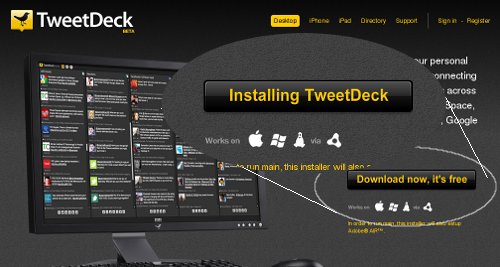
**Tweetdeck** the favorite twitter application that helps coping up & organize our tweet experience is now available for Linux desktops. Clicking **'download'** button from a linux PC will turn the button text to **'Installing Tweetdeck'**. You can keep on waiting, but nothing will happen.
To really install Tweetdeck in Ubuntu (or in any linux distros) have a look at [Tweetdeck's support page](http://support.tweetdeck.com/entries/181425-how-to-install-air-tweetdeck-in-linux-ubuntu-variants).
But wait, it's even easier!
If you are not comfortable with ***'command line'*** typing, you don't have to follow the method mentioned in that page. You can do it entirely through mouse click (and one-time password typing).
Get **Adobe AIR** & **Tweetdeck** download files from [Tweetdeck's support page](http://support.tweetdeck.com/entries/181425-how-to-install-air-tweetdeck-in-linux-ubuntu-variants). Currently there is no other way to download linux version of Tweetdeck, so do visit that page to get it.
First, Adobe AIR
While downloading **Adobe AIR** choose for 'deb' package (*for Ubuntu, SimplyMephis, Debian*). After downloading it to your folder, just open the folder and double-click the ***'deb'*** file. An installer window will open.
/11-adobe-air-installer.png" title="Install Adobe AIR by just double-clicking deb package" alt="Adobe AIR installation in ubuntu" />
Clicking **'install package'** will ask for admin password & after verification will install Adobe AIR.
Then, Tweetdeck
After that installing Tweetdeck is simple. Go to **'Applications'** in start menu, a new entry **'Adobe AIR Application Installer'** is available now.
/11-adobe-air-installer.png" />
Just click the link, it will show an open window to choose a file. Choose the downloaded tweetdeck package & click install.
That's All!